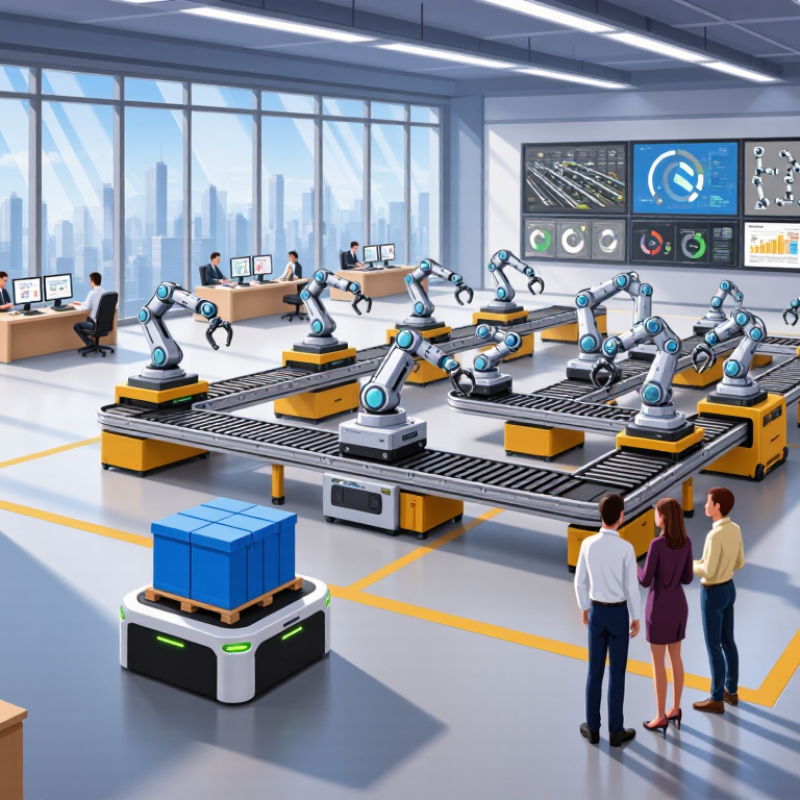
The 2026 automation market is moving beyond simple task replacement. Businesses now expect connected systems that can sense, decide, and improve daily operations. In the as automation solutions sector, this means combining artificial intelligence, robotic process automation, industrial robotics, and reliable data platforms. The strongest choices will not merely look advanced. They will solve measurable problems.
Bill Gates, a widely recognized technology and business authority, once said, “The first rule of any technology used in a business is that automation applied to an efficient operation will magnify the efficiency.” His warning remains relevant for 2026. A warehouse robot cannot fix unclear inventory records. A software bot cannot repair a broken approval process. The weakness usually appears before the technology does.
This guide examines the best automation solutions for different business needs. It considers deployment time, integration quality, security controls, scalability, maintenance, and total cost. For example, a manufacturer may need robotic vision beside a production line, while a service company may benefit more from automated document handling. Real experience matters here. A fast demo can hide months of configuration work.
Not every solution will perform equally well. Some platforms promise more than they deliver. Others require specialist teams that smaller companies cannot maintain. That is uncomfortable, but important. The right decision depends on clear workflows, trained employees, dependable vendors, and honest performance testing. The best automation solution is not always the most sophisticated one. It is the one that produces consistent value without creating a larger problem.
Automation solutions are systems that complete repeatable tasks with limited human intervention. They connect software, data, devices, and approval rules within one controlled workflow. In 2026, their role extends beyond saving time. Strong solutions improve accuracy, trace decisions, and help teams respond to changing conditions.
A warehouse system might read incoming orders, update stock records, and flag unusual demand. A service workflow might route requests, check required information, and request human approval before action.
The best solutions begin with a clear operational problem. Teams should measure delays, error rates, labor demands, and security risks before choosing automation. Reliable systems also protect sensitive data, record user actions, and provide understandable failure alerts. Human oversight remains essential.
Automation can process patterns quickly, but it may misunderstand context, incomplete records, or unusual customer needs. Small tests are safer than sudden replacement. A controlled pilot can expose weak assumptions before wider deployment.
Practical experience shows that simple workflows often create the strongest results. Clear rules matter more than impressive features. Poor data still produces poor decisions. That part is easy to overlook.
Organizations should review performance regularly, including accessibility, maintenance costs, and staff feedback. Some automated steps may need redesign rather than expansion.
The most useful solution is not always the fastest one. It is the one people can verify, manage, and improve when real conditions change.
What Are the 2026 Best Automation Solutions?
The strongest automation choices begin with the work, not the software. Robotic process automation handles repetitive screen tasks, such as copying invoice numbers between systems. Workflow automation routes approvals, alerts, and service requests. Intelligent document processing extracts data from contracts, forms, and scanned receipts. Physical robotics manages welding, packaging, inspection, and warehouse movement. The International Federation of Robotics reported 541,302 industrial robots installed worldwide in 2023. That figure shows continued investment, even during a temporary market decline.
Artificial intelligence adds another layer. It can classify messages, predict equipment failures, and support decisions from unstructured data. McKinsey’s 2024 State of AI survey found that 72% of respondents reported regular organizational AI use. Yet adoption does not mean readiness. Poor data can make automation faster and less accurate. That is an uncomfortable detail.
The practical 2026 model is usually hybrid. Rule-based automation offers stability for fixed procedures. AI-based automation adapts better to changing language and exceptions. Process mining reveals hidden delays before teams automate them. Human-in-the-loop controls remain important for sensitive approvals and unusual cases. In field assessments, small pilots often expose problems that dashboards conceal. A ten-minute manual review may protect an entire customer process. No taxonomy is perfect. Some solutions promise autonomy while still needing frequent correction. Reliable automation therefore depends on measurable accuracy, clear ownership, audit trails, and regular review.
| Automation Technology | Primary Purpose | Typical Use Cases | Data or System Inputs | Main Benefits | Key Limitations | Best-Fit Environment | Typical Deployment Speed | 2026 Relevance |
|---|---|---|---|---|---|---|---|---|
| Robotic Process Automation (RPA) | Automates repetitive, rule-based tasks through user-interface or application interactions. | Data entry, invoice handling, report creation, account reconciliation, and file transfers. | Structured data, spreadsheets, web forms, desktop applications, and legacy systems. | Fast task automation, reduced manual errors, and improved processing consistency. | Fragile when screen layouts, workflows, or application interfaces change. | Back-office operations with stable rules and repeatable transaction volumes. | Fast for isolated processes; several weeks for governed multi-step workflows. | Remains useful for connecting legacy applications while organizations modernize systems. |
| Workflow and Business Process Automation | Coordinates tasks, approvals, decisions, and records across an end-to-end business process. | Employee onboarding, procurement approvals, claims processing, case management, and service requests. | Forms, business rules, documents, user actions, and system events. | Better visibility, standardized procedures, audit trails, and fewer process bottlenecks. | Requires careful process design, ownership, governance, and exception handling. | Organizations with cross-functional processes and formal approval requirements. | Several weeks for a focused process; longer for enterprise-wide standardization. | Increasingly combined with AI for document understanding, recommendations, and routing. |
| API Integration and iPaaS | Connects applications and synchronizes data through APIs, connectors, and integration flows. | Customer-data synchronization, order updates, payment events, inventory changes, and notifications. | REST or SOAP APIs, webhooks, databases, cloud services, and event streams. | Reliable system connectivity, reduced duplicate entry, and near-real-time data exchange. | Depends on API quality, authentication design, data governance, and monitoring. | Cloud-first organizations operating multiple business and operational applications. | Fast for standard connectors; longer when custom APIs or complex transformations are required. | A core foundation for composable architectures, event-driven systems, and AI-enabled workflows. |
| Artificial Intelligence and Machine Learning Automation | Uses models to classify, predict, generate, recommend, or interpret information. | Demand forecasting, anomaly detection, document classification, intelligent search, and decision support. | Text, images, audio, sensor data, historical records, and real-time operational data. | Handles unstructured information and supports decisions that fixed rules cannot cover efficiently. | Requires quality data, human oversight, security controls, testing, and model monitoring. | Data-rich operations where predictions, classification, or language understanding create value. | Proofs of concept can be quick; production deployment requires validation and governance. | A major growth area when paired with process controls, secure data access, and human review. |
| Document Intelligence and Intelligent OCR | Extracts, classifies, validates, and routes information from documents. | Invoice processing, identity-document review, contract analysis, medical forms, and shipping records. | Scanned pages, PDFs, photographs, emails, tables, and handwritten or printed text. | Reduces manual reading and rekeying while accelerating document-based workflows. | Accuracy varies with image quality, document diversity, language, and handwriting complexity. | High-volume operations with recurring document types and defined validation rules. | Often fast for standard document sets; complex layouts need training and review cycles. | Important for converting unstructured content into data that downstream automation can use. |
| Industrial Robotics | Performs physical manufacturing, handling, assembly, or packaging tasks with programmable machines. | Welding, palletizing, painting, assembly, machine tending, and material handling. | Production schedules, machine signals, sensors, part locations, and quality parameters. | High repeatability, continuous operation, improved throughput, and reduced exposure to hazardous work. | Higher capital cost, specialized integration, safety requirements, and limited flexibility for varied tasks. | Stable, high-volume production environments with predictable physical processes. | Usually months because installation, programming, safety validation, and commissioning are required. | Remains central to smart manufacturing, especially when connected to operational data systems. |
| Collaborative Robots | Assists people with repetitive or ergonomically demanding tasks in shared work areas. | Pick-and-place, packaging, screwdriving, inspection, dispensing, and machine tending. | Part-position data, force feedback, camera input, production instructions, and operator commands. | Flexible deployment, easier task reconfiguration, and support for small or variable production runs. | Generally slower than dedicated industrial robots for heavy payloads or very high-speed cycles. | Small and medium production lines requiring human-machine cooperation and frequent changeovers. | Often weeks to months, depending on tooling, safety assessment, and task complexity. | Well suited to flexible automation and labor support where full-line automation is not economical. |
| Machine Vision | Inspects, measures, identifies, or guides physical processes using cameras and image analysis. | Defect detection, barcode reading, dimensional checks, presence verification, and robot guidance. | Images, video frames, lighting data, product specifications, and inspection thresholds. | Consistent inspection, high-speed quality checks, traceability, and reduced subjective evaluation. | Performance depends on lighting, camera placement, product variation, and representative training data. | Manufacturing, logistics, laboratories, and other environments requiring visual verification. | Weeks to months, including camera setup, lighting design, calibration, and acceptance testing. | Increasingly integrated with robotics and AI-based inspection for variable product conditions. |
| IT Infrastructure and AIOps Automation | Automates provisioning, monitoring, incident response, configuration, and routine maintenance. | Cloud resource scaling, backup operations, patching, alert correlation, and service recovery. | Logs, metrics, traces, configuration files, tickets, infrastructure states, and event alerts. | Improves availability, shortens response times, and reduces repetitive operational work. | Poorly designed automation can amplify configuration errors or trigger unwanted changes. | Cloud, hybrid, and highly distributed technology environments with measurable service events. | Fast for standard runbooks; complex environments require staged testing and strong controls. | Essential for operating distributed systems and managing the scale of modern digital services. |
| Software Testing Automation | Executes repeatable tests to detect defects and verify software behavior. | Regression testing, API testing, performance testing, security checks, and continuous integration validation. | Source code, test cases, application interfaces, test data, logs, and performance metrics. | Faster feedback, broader test coverage, and more consistent release quality. | Test scripts require maintenance when application behavior or interfaces change. | Agile, DevOps, and continuous-delivery teams releasing software frequently. | Basic automated tests can be created quickly; broad coverage develops over multiple release cycles. | A foundational practice for reliable software delivery, especially for AI-enabled applications. |
| Low-Code and No-Code Automation | Allows users to create applications, forms, workflows, and integrations with limited programming. | Departmental requests, simple approvals, data collection, dashboards, and internal service portals. | Forms, tables, business rules, user profiles, application connectors, and workflow events. | Shortens development cycles and enables business users to solve contained process problems. | Can create duplicated solutions, security gaps, or governance issues without centralized oversight. | Business teams with clearly defined, low-to-medium complexity processes. | Often days to weeks for simple applications; complex integrations take longer. | Supports wider participation in automation when paired with architecture, security, and lifecycle governance. |

Evaluation note: The most effective 2026 automation strategy usually combines multiple technologies. Selection should consider process stability, data quality, integration requirements, safety, governance, scalability, and the expected return on investment.
The best automation solutions should be compared by evidence, not impressive demonstrations.
Integration is a practical starting point. Can the system connect with existing finance, sales, and service tools without costly rebuilding?
The World Economic Forum’s Future of Jobs Report 2025 found that 73% of employers plan to accelerate process and task automation.
This demand makes scalability important. A useful solution should handle ten workflows today and hundreds later, while keeping response times stable.
Security and governance deserve equal attention.
Check access controls, audit trails, data retention, and human approval settings. McKinsey’s 2024 State of AI report found that 72% of organizations regularly use AI in at least one business function.
Adoption is broad, but control quality varies. Deloitte’s 2024 enterprise research also reported that 79% of respondents expect generative AI to create substantial organizational change within three years.
These figures support investment, but they do not prove business value. Return on investment should include licensing, training, maintenance, and exception handling.
Tips:
Test one messy workflow, not a perfect demo. Measure hours saved, error rates, and employee acceptance for eight weeks.
A pilot can look successful while hiding manual review work. That is where many evaluations become too optimistic.
Also compare vendor transparency, support response times, and export options. If your data cannot leave the platform, flexibility may quietly become a long-term cost.
The best automation solution depends on the work, risk, and people involved. In manufacturing, strong systems should connect machines, sensors, and maintenance records. A clear dashboard can reveal a motor overheating before production stops. In healthcare, automation must protect patient information and support careful human review. Speed matters, but accuracy matters more. Financial teams often need dependable document processing, approval controls, and detailed activity logs. A fast system with weak records creates unnecessary risk.
No scorecard is perfect. In practical trials, teams should measure setup time, error rates, training needs, and recovery after failure. A useful tool should fit existing workflows instead of forcing staff into confusing steps. For example, a logistics team could test invoice matching with 500 real documents. The results may expose poor scanning, missing fields, or unclear exceptions. That evidence is more valuable than a polished demonstration.
Tips: Start with one repeatable process. Define a measurable target, such as reducing manual entry by 40 percent. Ask employees where automation could create frustration. Review access permissions regularly. Keep a human approval step for sensitive decisions. Test unusual cases, not only perfect examples. A small pilot may feel slower at first. That is acceptable. It often reveals problems that large deployments hide. Teams should also check whether the system can export usable data and explain its actions clearly.
Choosing an automation solution starts with the workflow, not the software catalog. Map each handoff, approval, delay, and repeated data entry. A warehouse team might discover that labeling causes more errors than picking. That detail changes the buying decision. Define the outcome in measurable terms, such as reducing invoice processing from three days to four hours. Do not automate a confusing process. Teams often copy old approval rules into new systems, preserving the same bottleneck. That mistake is expensive.
Assess integration methods, data formats, access controls, audit trails, and support quality. Request a small proof of concept using realistic, anonymized records. Test failure handling, not only the successful path. Ask what happens when an employee enters an incomplete address or a connection drops. A reliable solution should pause safely, record the event, and route it to a person. Check total ownership costs, including configuration, training, maintenance, and process redesign. Low initial pricing can hide substantial operational work.
Implement one controlled workflow before expanding across departments. Assign an owner with authority to change rules and stop the rollout. Train users with short exercises based on daily tasks. Measure speed, error rates, exceptions, and employee workload for several weeks. Review access logs regularly. Automation can reduce routine effort, yet it may create new review queues. The first metric may be wrong. A monthly review can expose that reality and guide safer adjustments.